Image Comparison with twentytwenty
You could place two images side-by-side to compare them, but the twentytwenty plugin allows you to place one image on top of another with a slider to show/hide the images and highlight the differences.
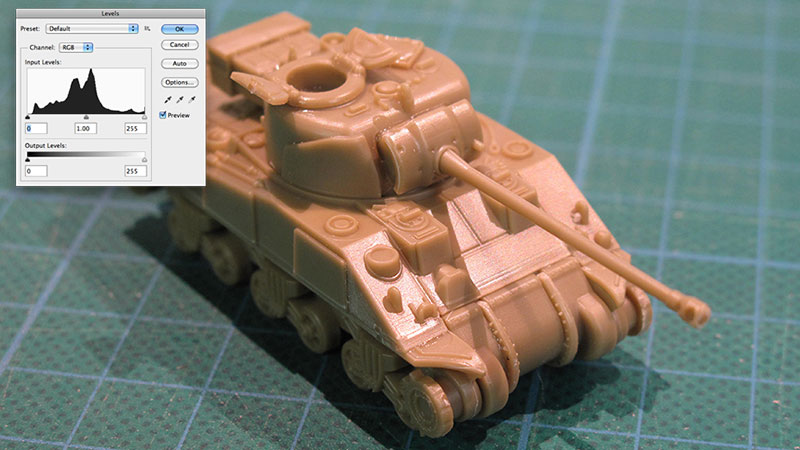
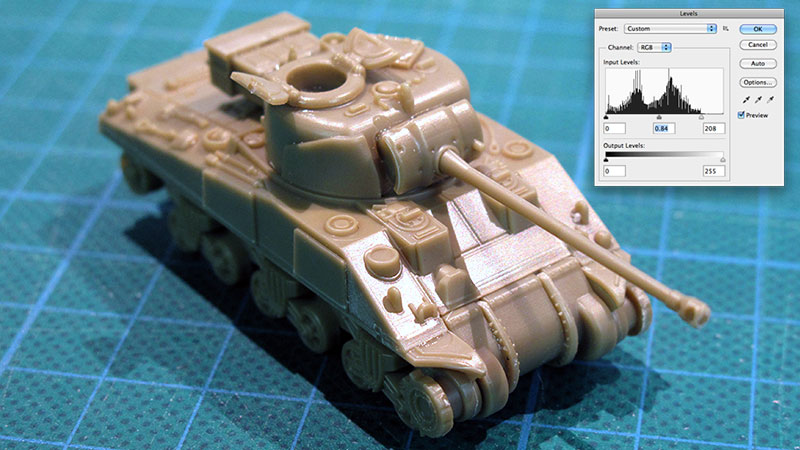
This image was taken with a digital camera. The object is actually green, but the camera has given the image an orange cast. This colour cast has been removed and the levels adjusted using Photoshop. Move the twentytwenty slider to show the original and the processed image.
Notes:
- This uses the twentytwenty plugin from
http://zurb.com/playground/twentytwenty. - The two images are placed in a DIV and the pluging places them one over the other with a slider.
- Parameters include where the slider appears etc.
See the code:
<!-- Link to jQuery framework -->
<script type="text/javascript" src="http://code.jquery.com/jquery-latest.min.js"></script>

<!-- Link to the event.move and twentytwenty plugins -->
<script src="js/jquery.event.move.js"></script>
<script src="js/jquery.twentytwenty.js"></script>

<script type="text/javascript">
$(window).load(function(){
    $(".twentytwenty-container").twentytwenty({default_offset_pct: 0.5});
});
</script>